



Summary
- On-Demand Reordering lets TK-02 owners reorder coffee in seconds through the Terra Kaffe app when beans run low
- Low Bean Alerts notify you when it’s time to restock
- Saved beans, payment, and shipping details make checkout fast
- Not a subscription – every order is a one-time purchase you manually approve
- Optional feature, easily enabled in the app
Introducing On-Demand Reordering
A smarter way to restock coffee on your TK-02.
Running out of beans is annoying. Forgetting to reorder is even worse.
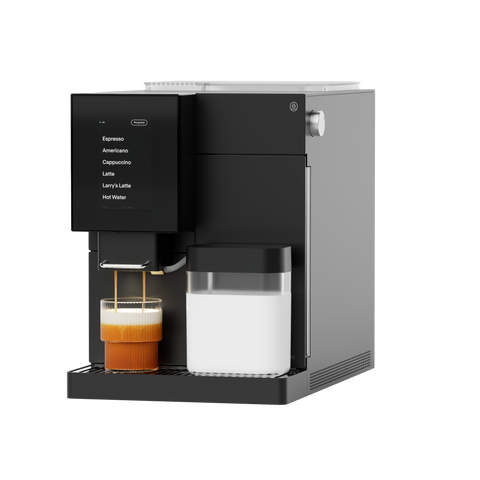
On-Demand Reordering is a new feature in the Terra Kaffe app that makes reordering coffee fast, simple, and stress-free. When your TK-02 senses you’re low on beans through the Low Bean Alert, your app steps in to help you restock in just a few taps.
What Is On-Demand Reordering?
On-Demand Reordering lets you save:
- Your preferred coffee beans
- Your shipping address and billing information
- Your payment method
Once set up, reordering coffee takes seconds. You still approve every purchase, but all the busywork is already done!
How it works:
- Your TK-02 keeps an eye on your beans. The machine tracks usage and knows when you’re running low.
- You get a heads-up. When beans are low, the Terra Kaffe app sends you a notification.
- Reorder in seconds. Tap into the app, review your saved information, and move to checkout.
- You’re always in control. Every order still requires confirmation through an email sent to your inbox before anything ships.
On-Demand Reordering is a one-time purchase, not a subscription. You’ll never be charged unless you approve it.
How to turn it on:
On-Demand Reordering is optional and easy to set up.
Enable the On-Demand Widget
-
Open the Terra Kaffe app
-
Go to Settings
-
Toggle On-Demand Widget to ON
(It’s turned off by default.)
Other improvements in this update:
OTA 36.0.0 also includes a few behind-the-scenes upgrades to make your daily use smoother.
✓ Improved screen responsiveness when touched
✓ Screen dimming now works independently of sleep mode
✓ Startup performance improvements


