

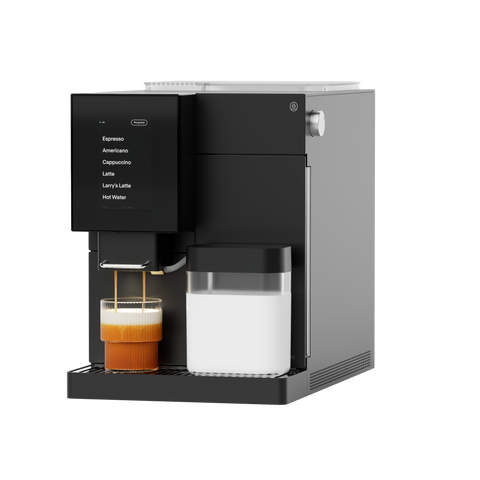


TK-02 App Migration: Step-by-Step
We're migrating all TK-02 machines to a new cloud system — and machines that don't reconnect to WiFi risk losing functionality. The good news: reconnecting only takes a few minutes. Here's exactly what to do now, and what to expect after.
Right now: reconnect to WiFi
1. Turn your machine on. Use the hard power switch on the back of your TK-02.
2. Open your Terra Kaffe app and confirm you're connected to WiFi. If your app shows you're not connected, follow this article to fix your connection.
3. Don't see a firmware update prompt on your machine screen? Turn the machine off and back on again using the hard power switch. This re-triggers the connection between your machine and the app. Then give it a few hours — the firmware prompt can take some time to appear.
What's next: the app migration
Once your machine reconnects, it will be migrated to run on our new cloud system — which means switching to a new app.
How to tell which app you should be using: Check the widget on your Terra Kaffe app home screen.
- Red dot ("not migrated") — Keep using the original Terra Kaffe app for now. Your migration hasn't happened yet.
- Green dot ("migrated") — Your machine is ready. Switch over to the Terra Kaffe 2.0 app.
Every TK-02 will eventually migrate and require the new app. Once yours does, the original app will show it as "offline" and stop working — that's expected, not an error.
Seeing an "invalid QR code" error in the original app? That's actually a sign your machine has already migrated. Time to switch apps.
Switching to Terra Kaffe 2.0:
- Download Terra Kaffe 2.0 from the Apple App Store or Google Play Store.
- Delete your old Terra Kaffe app.
- Connect your TK-02 to the new app.
Use the same email address you used on the original app, and all your saved settings and drinks will transfer over automatically.
Still stuck?
If you've tried the steps above and your TK-02 still isn't connecting, we're sorry for the trouble. Try this troubleshooting article, or reach out to our support team directly at [email protected]


